
Share it once. Invited family can see it.
Keep the first ultrasound and today’s little moments in one album for the family you invite.
A social space just for your family.
Find photos by date, leave a heart or a comment, and save your favorites to your phone.
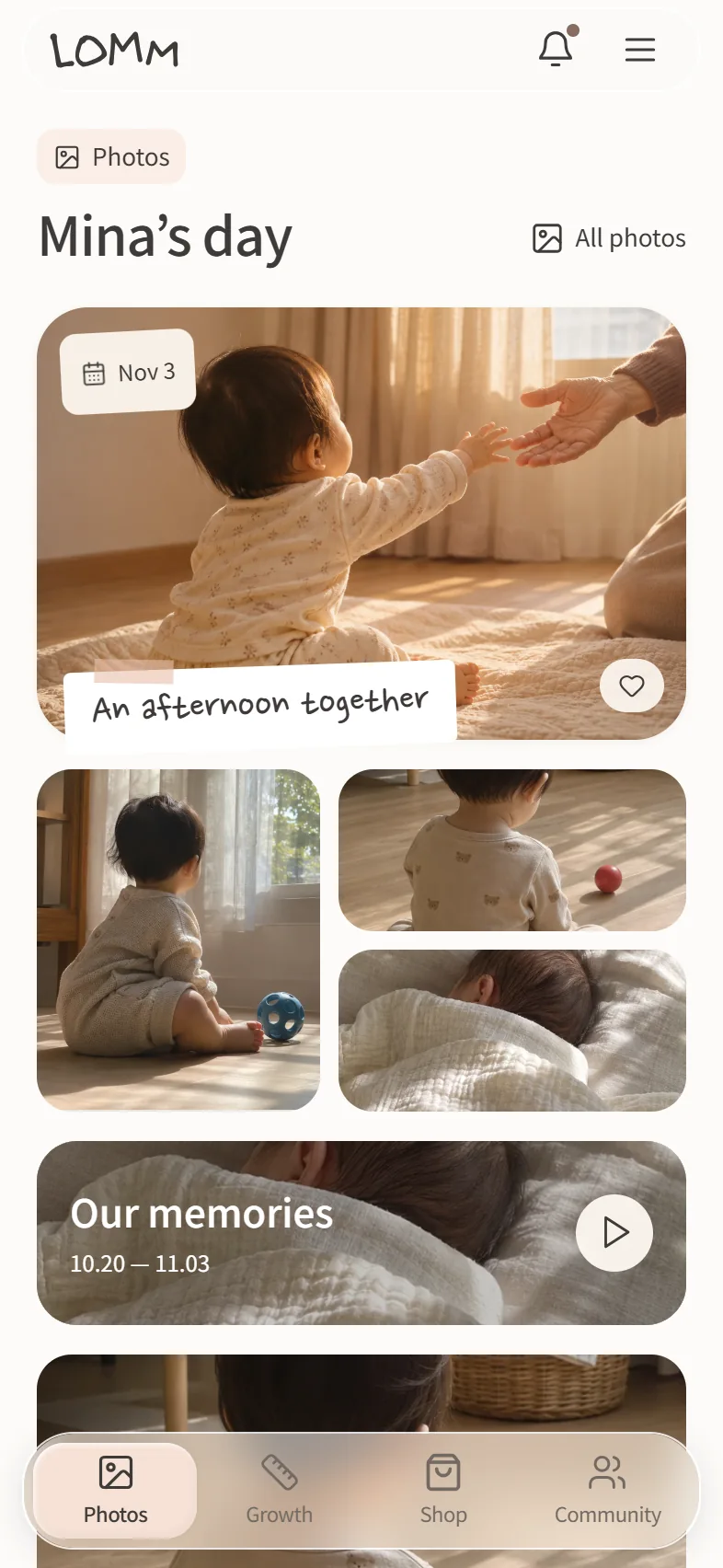
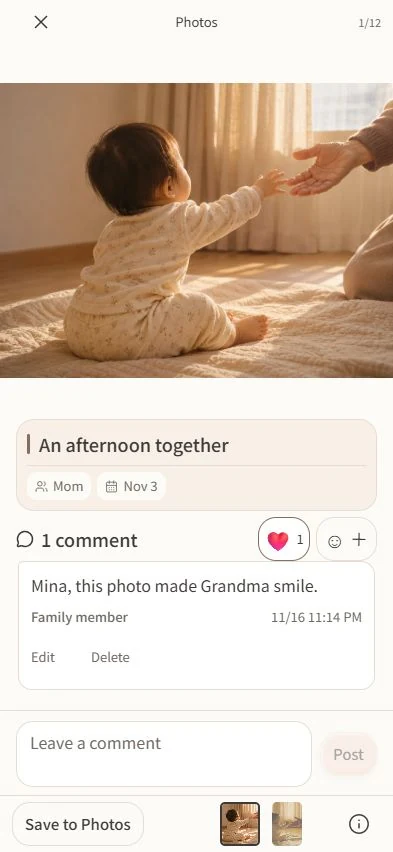
Your most personal moments, kept in the family
Only family members a parent approves can see the album. Parents choose whether each photo or video is shared with family or kept between parents.
So they’ll know how loved they were.
Save the moments you shared in photos, see how they grew in daily records, and leave them letters and voice notes.
When they grow up, give them back the story of their early years.
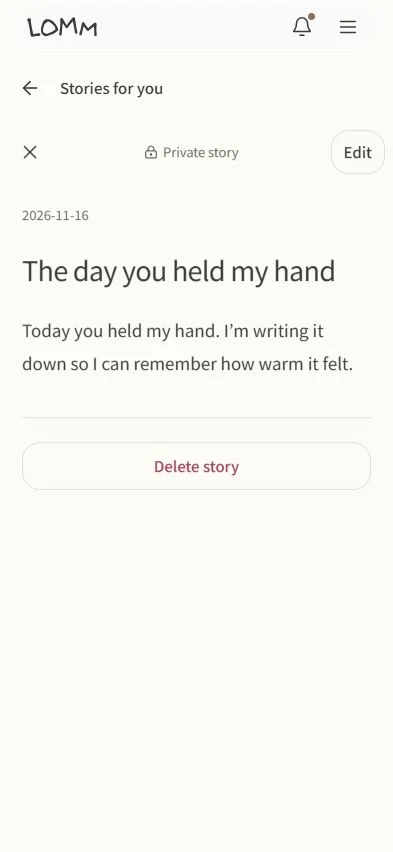
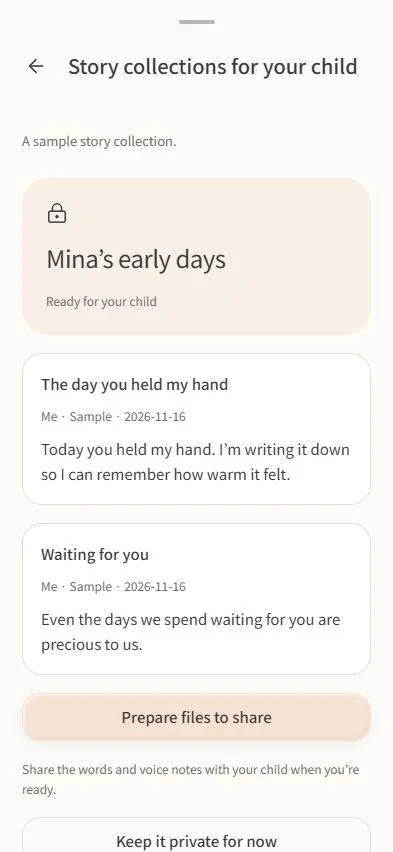
Our Memories
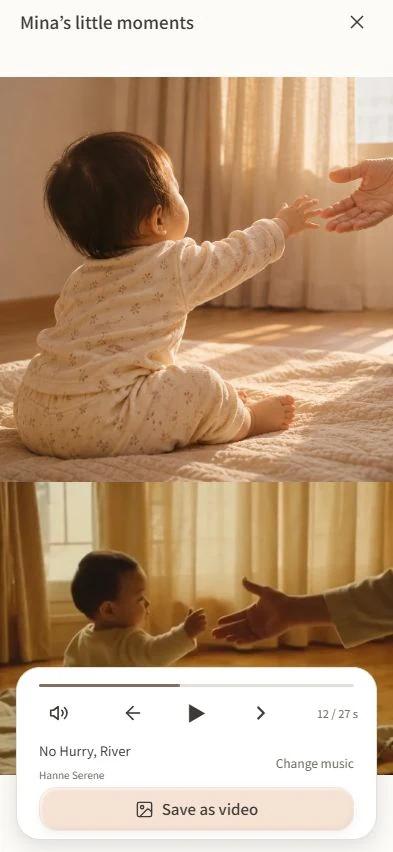
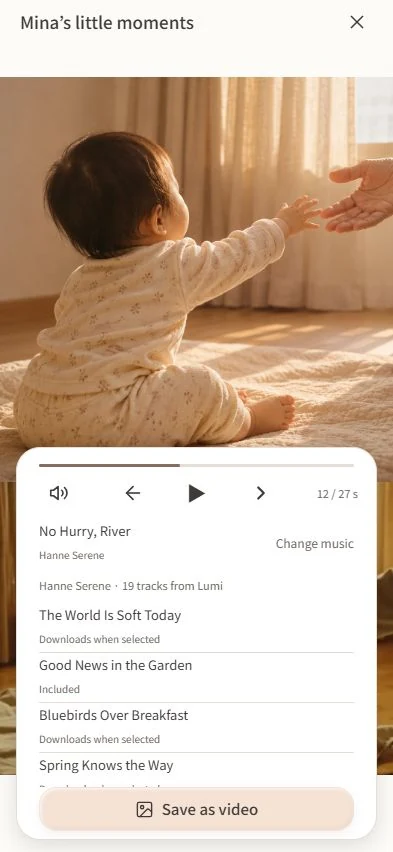
Revisit the photos you’ve collected in your family album. Pick a song to go with the memories.
See how they’re growing.
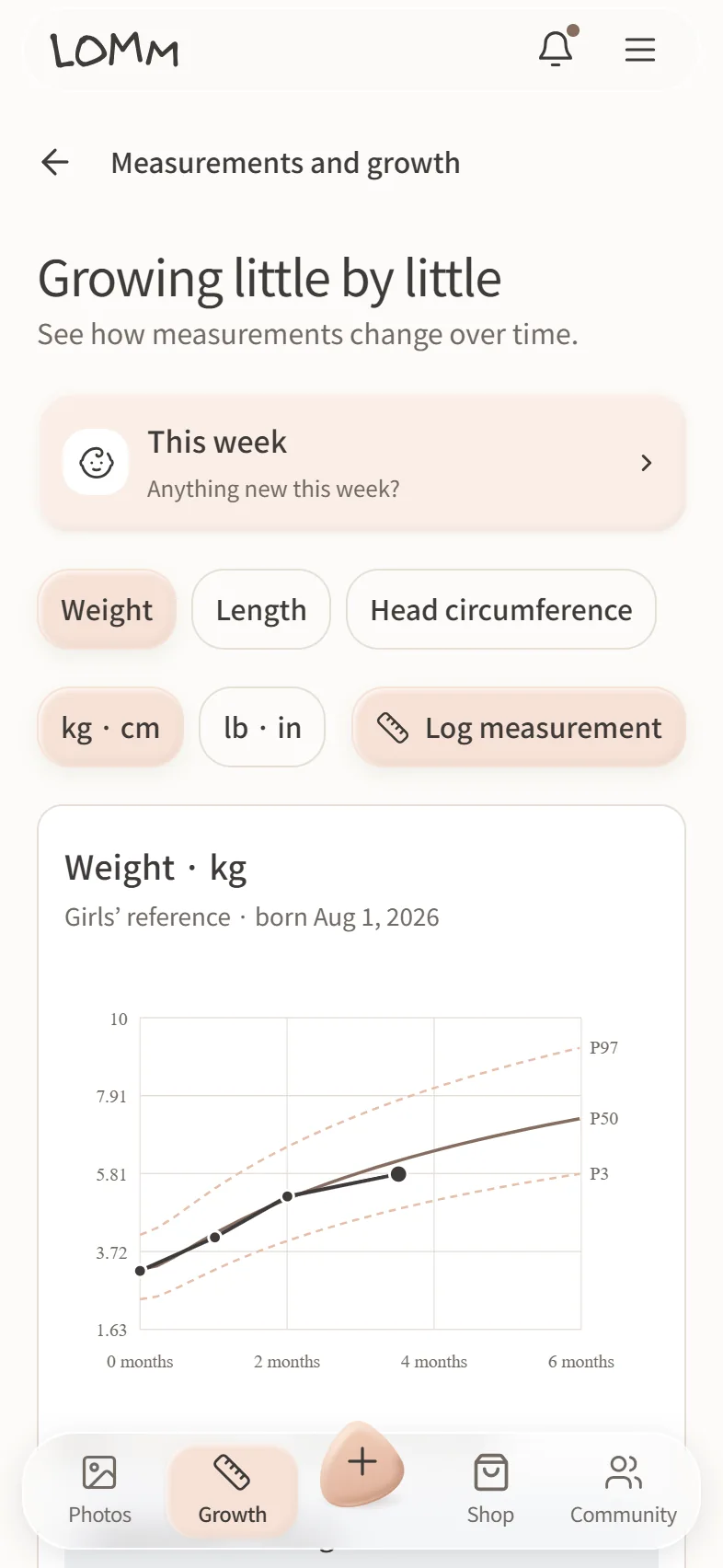
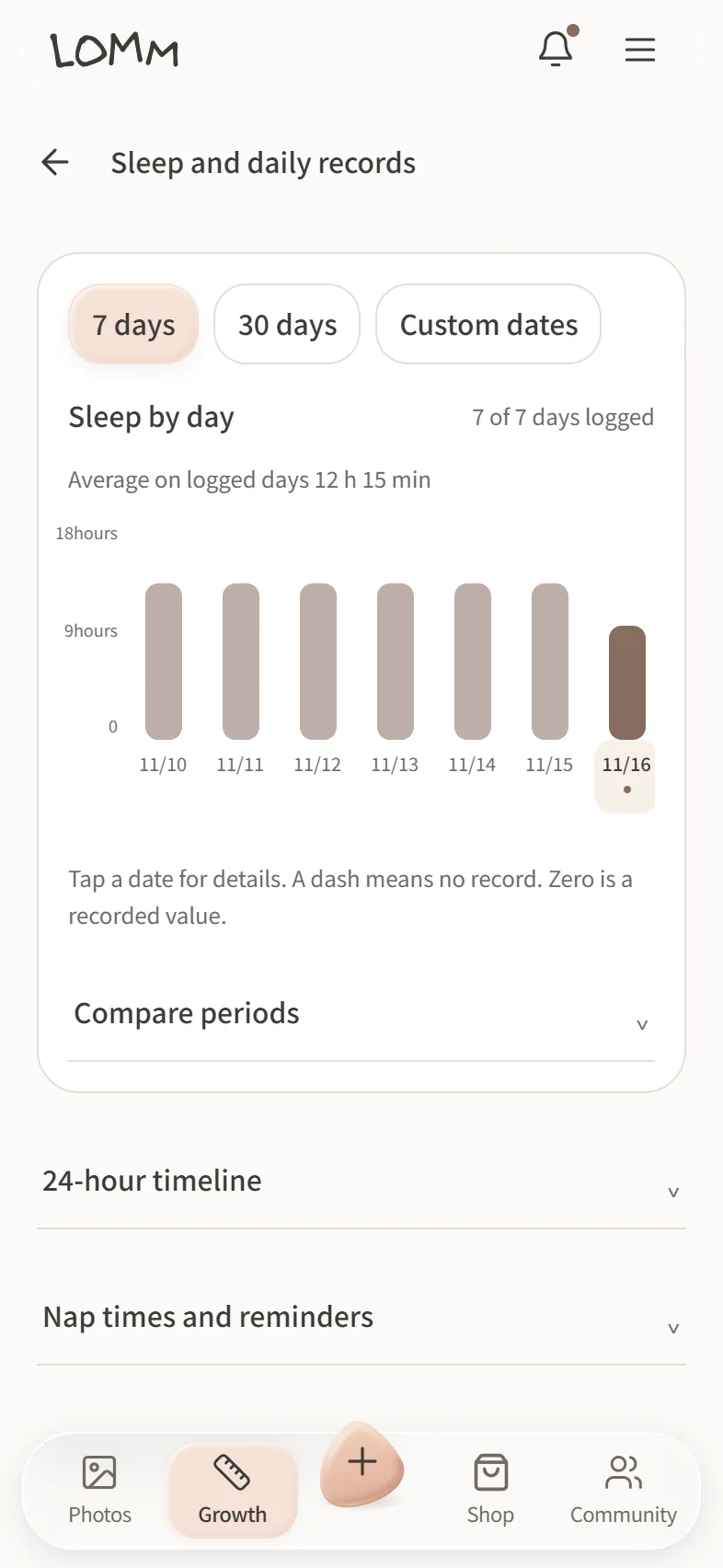
See when they eat and sleep, and follow changes in height and weight alongside WHO growth references.
Know what to prepare
See what to prepare before birth and which checkups and vaccinations are coming up.
Preparation guide for South Korea.
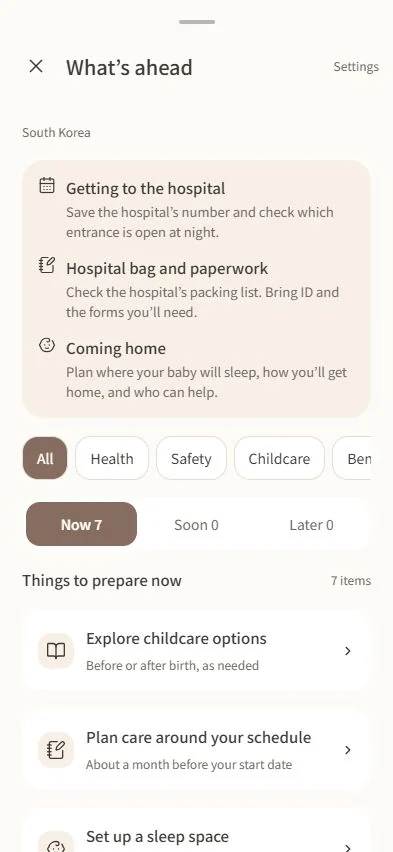
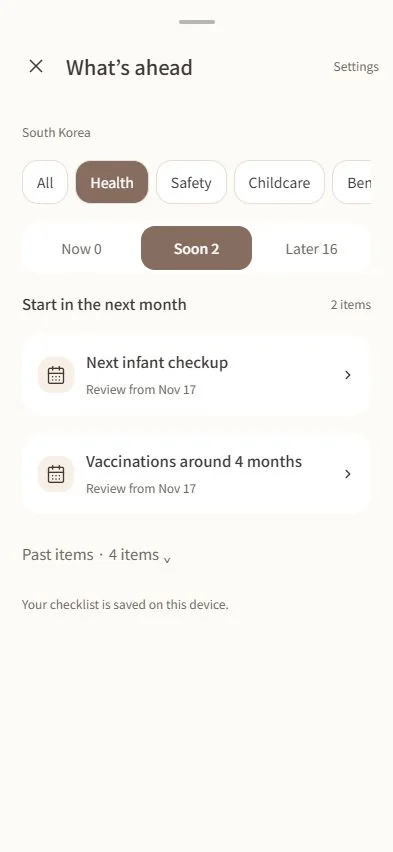
Example records are fictional. The English app previews and report are translated for this site.
Explore all features
Photos and video
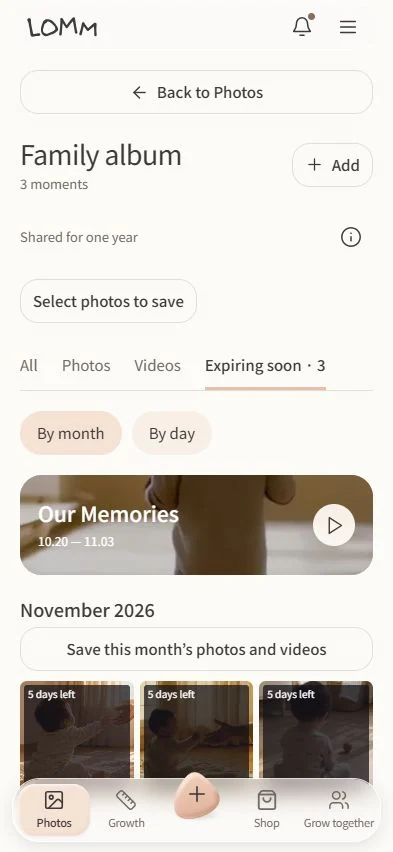
- Family album
- Find photos and videos by date, leave comments and hearts, and save selected items or a whole month to your phone.
- Add photos and videos
- Parents can upload several photos and videos at once, add a note, and choose who can see them. Check upload progress from the home screen.
- Our Memories
- Look back at your album photos and choose the music that goes with them.
- Photos expiring soon
- See photos and videos whose storage period ends within 30 days and save any you want to keep to your phone.
- Storage reminders
- Turn on family notifications to get reminders before photos and videos expire, at the 30-day and 7-day marks.
Care and growth
- Daily records
- Parents can log feeding, diaper changes and naps with their times, then review the day in one place.
- Sleep and daily rhythms
- See sleep by day and night, time sleep or nursing, and set a nap reminder using recent sleep records.
- Growth charts
- See how length or height, weight and head circumference change over time alongside age-matched WHO references.
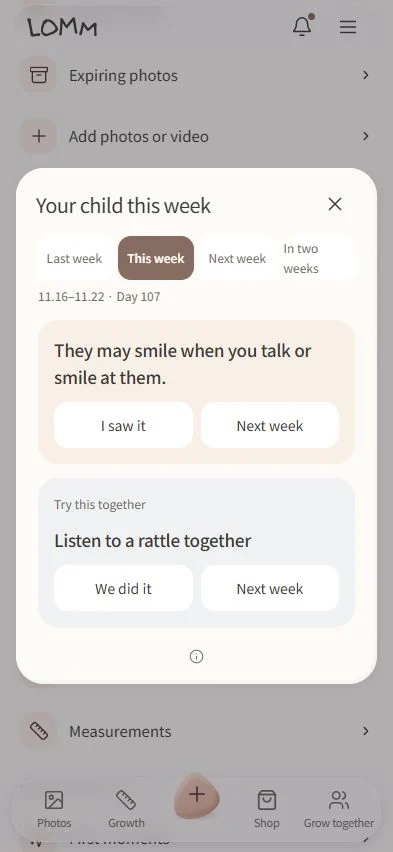
- Your child this week
- Explore age-based examples of what you may notice and games you can try together. Preview next week and check off what you notice this week.
- Measurements
- Parents can log length or height, weight and head circumference with the date, then see the values on growth charts.
- Vaccination records
- Parents can log the vaccines their child received, review past doses and record the next appointment.
- Temperature
- Parents can log temperature with the time it was taken and review multiple readings from the same day.
- Symptom notes
- Parents can note what they observed and when, then review how symptoms changed or refer to the notes during a visit.
- Visit preparation and PDF
- Parents can gather the last 7, 30 or 90 days of growth, feeding, diaper and sleep records into a PDF to take to a visit.
Milestones and stories
- First moments
- Save the date and story behind a first smile, first steps or another milestone.
- Stories for your child
- Write down what happened today or record a message in your own voice for your child to hear.
- Story collection
- Gather selected notes and recordings into a collection to read and listen to with your child when you’re ready.
Family and settings
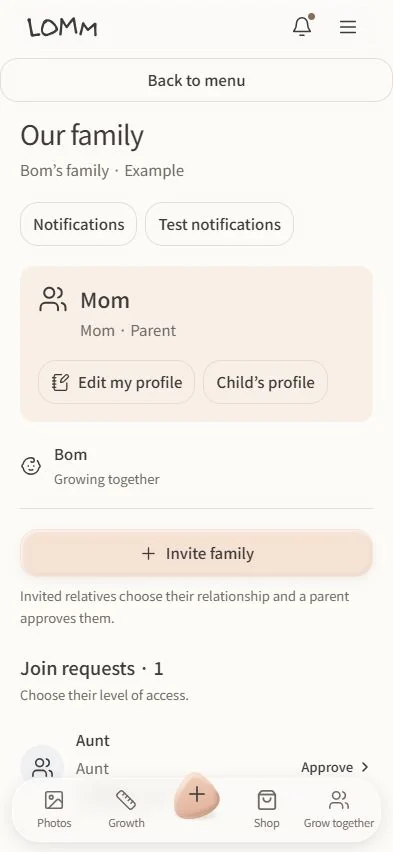
- Family members and my profile
- See who’s in the album and update your display name. Parents can review requests and manage access.
- Invite family
- Parents send the invitation link and approve family members who request to join.
- Family polls
- Parents can create multiple-choice or written-response polls, choose anonymity, set a deadline and decide who can see results. They can remind family members who haven’t voted.
- Switch families
- If you belong to more than one family, choose which family to view from the same account.
- Child’s profile
- Parents can update the child’s name, due date or birthday. LOMM uses the date to show guidance for the child’s stage.
- Plans and subscriptions
- Parents can check the storage period, see monthly and annual extension plans, and manage an active subscription.
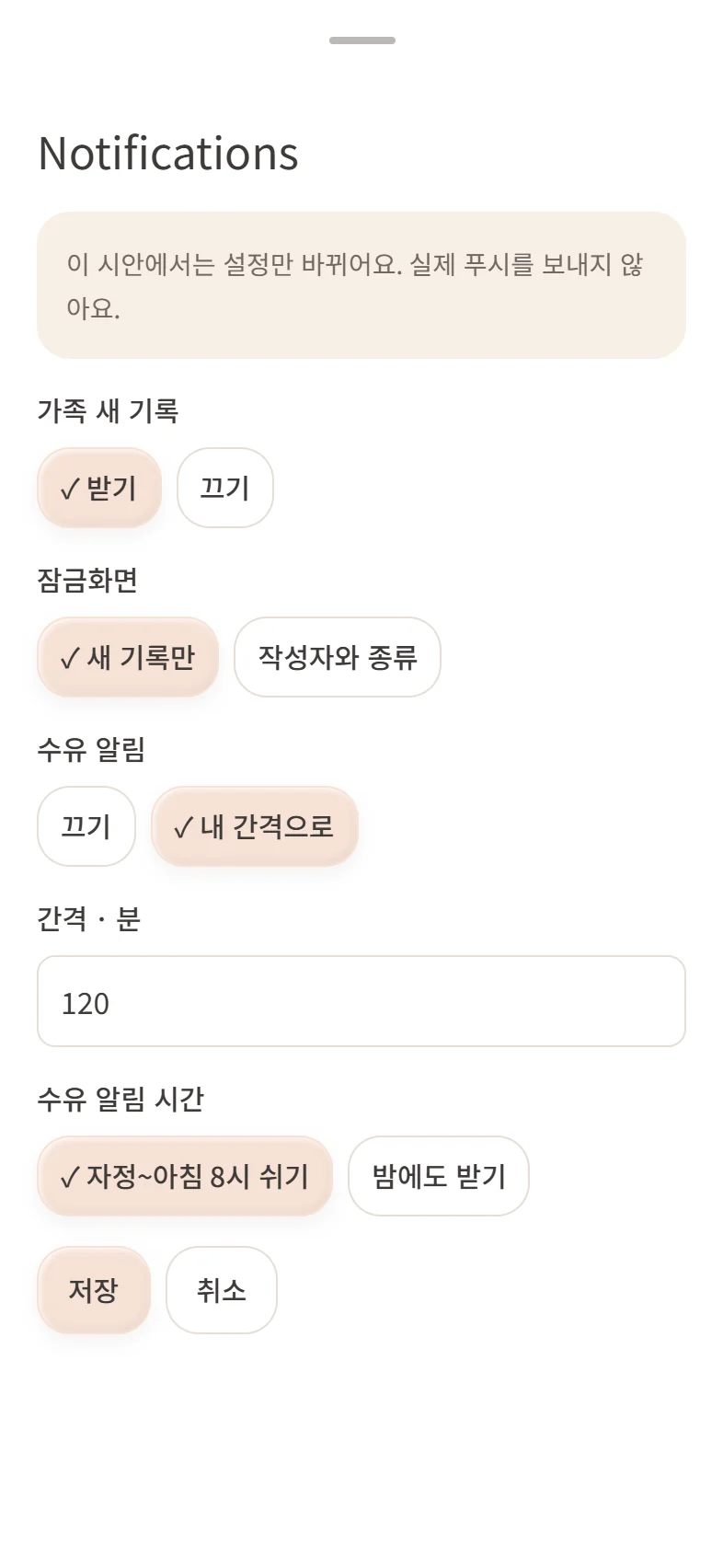
- Notification settings
- Turn family notifications on or off, choose whether names show, and group overnight updates for morning. Parents can set feeding reminders.
- In-app notifications
- Open the bell at the top of the app to find unread activity such as new family records and replies.
- Community settings
- Choose the nickname people see in the community and set or change your neighborhood.
- Dark mode
- Switch between light and dark at the top of the app menu.
- Larger text
- Turn on larger text at the top of the app menu for easier reading.
Preparation and community
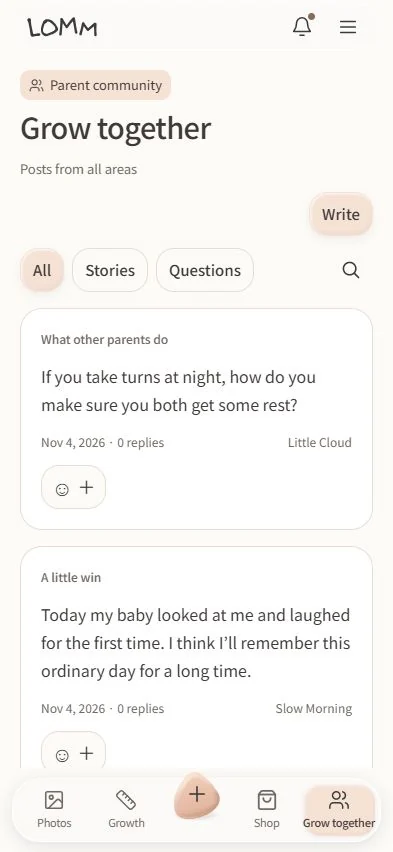
- What to prepare and when
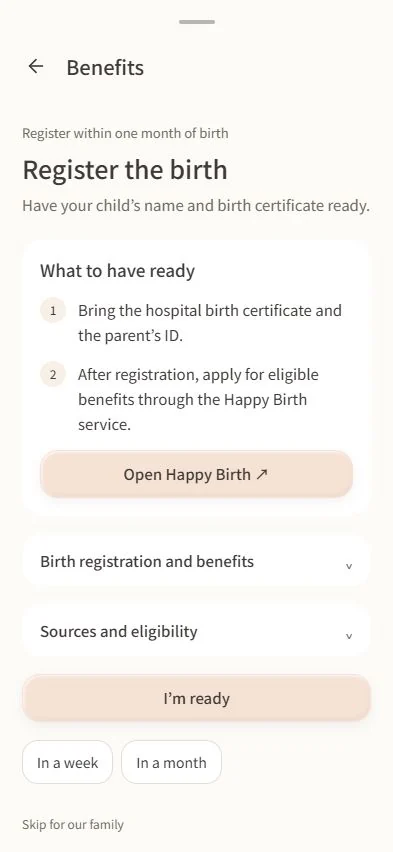
- Plan for the hospital and packing before birth, then see upcoming tasks such as birth registration, benefits, checkups, vaccinations and child care. Check off preparations and see guidance suited to your child’s stage and region.
- Development and family support
- Find guidance on developmental consultations, help with assessment costs and related services, including eligibility and what to bring.
- Appointments you’ve booked
- Parents can keep the date and place for a visit, checkup or vaccination and add it to their phone calendar.
- Parent community
- Read posts from all regions or your neighborhood. Ask questions and share experiences under a nickname, with photos, videos and replies.
- Nearby pediatric care
- Choose a region to find pediatric services and see their location on a map.
- Shop and choose gifts
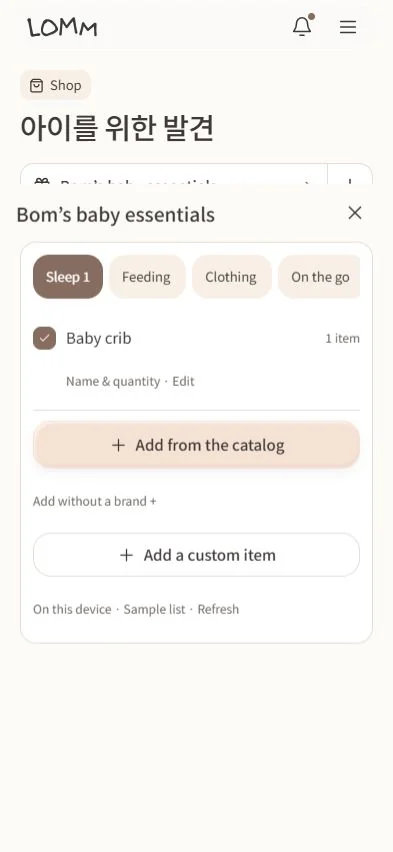
- Browse by your child’s stage, product category or brand and visit sellers. Mark items your child uses so family knows what you already have.
- Brands we can work with
- Submit a brand proposal and check its progress.
Account
- Health record consent
- Parents can review, give or withdraw consent for the child’s health and care records.
- Help improve LOMM
- Choose whether to share app usage analytics. You can change the setting at any time.
- Sign out
- Sign out of LOMM on this phone.
- Delete account
- Request deletion of your account from the app and check its status.
Privacy and help
- Privacy policy
- See what information LOMM handles and how long it is kept.
- Help and contact
- Find instructions for using the app and get in touch if you need help.
Questions families ask
Who can see our family photos?
A parent invites and approves family members. When posting, parents can share with approved family or keep photos visible to parents only.
Can grandparents use larger text and save photos?
Larger text is available in settings. Invited family can react and comment, and can save shared photos to their phone.
Can I start before my baby is born?
Yes. Save ultrasound photos or a message for your child, and see what to prepare for the hospital and coming home.
Can I see what comes next?
The preparation guide covers tasks such as birth registration, checkups and child care by stage. Your child this week also shows examples of milestones and activities you may see soon.
Can our family vote on a question?
Parents can create anonymous or named polls with multiple-choice or written answers. They decide whether participants can see the results.
Will I get reminders overnight?
Choose your own feeding interval and whether reminders can arrive overnight. Start and stop the sleep timer to save a sleep entry.
What goes into the visit PDF?
Pick dates to include measurements and logged feeding, diapers and sleep. The PDF has a summary and a daily table.
How long are photos and videos kept?
The free window is 365 days from each upload. Parents can extend storage on a paid plan when it is available.
Will I know when photos are about to expire?
Photos expiring soon shows items within 30 days of the end of their storage period. With family notifications on, you can get reminders at the 30-day and 7-day marks.
Can we collect stories for our child?
Save messages as text or voice, and gather selected entries into a private story collection to share when you’re ready.

Get LOMM
iPhone
App Store release is pending.
TestFlight help (Korean)Android
Available through the closed test for registered accounts.
Join the Google Play closed testBy default, each shared photo or video is kept for 365 days after its upload is complete.